Chapter 28: Build an AI-Powered Linux Health Report with Claude Code
In this chapter, you'll build a complete daily server health report that collects system metrics, analyzes them with Claude Code in headless mode, and delivers a structured summary by email and to a log file.
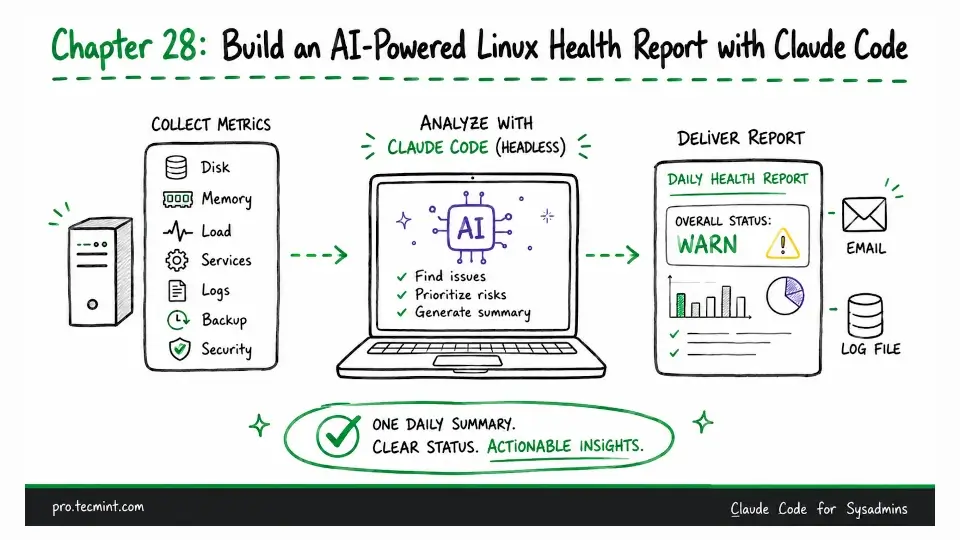
In the previous chapter, we learned how to run Claude Code in headless mode and created a simple cron job for basic health checks.
In this chapter, we'll expand our basic health check into a complete daily server health report that collects metrics, analyzes them with Claude Code, and sends the results by email while saving a log.
The goal is to create a server health report that administrators will actually read, because raw monitoring output is often too long, too noisy, and difficult to scan, making it easy to miss important issues.
Claude Code helps by analyzing the data instead of simply checking fixed thresholds. It looks at the overall context and highlights the information that really needs attention.
For example, a filesystem that is 76% full might be perfectly normal on one server, but it could be an early warning sign on another where disk usage has been increasing steadily over the past week.