The Ultimate Ubuntu Handbook Course
In this course, you'll learn how to install Ubuntu, customize your system, manage software, improve security, set up servers, and automate everyday tasks.
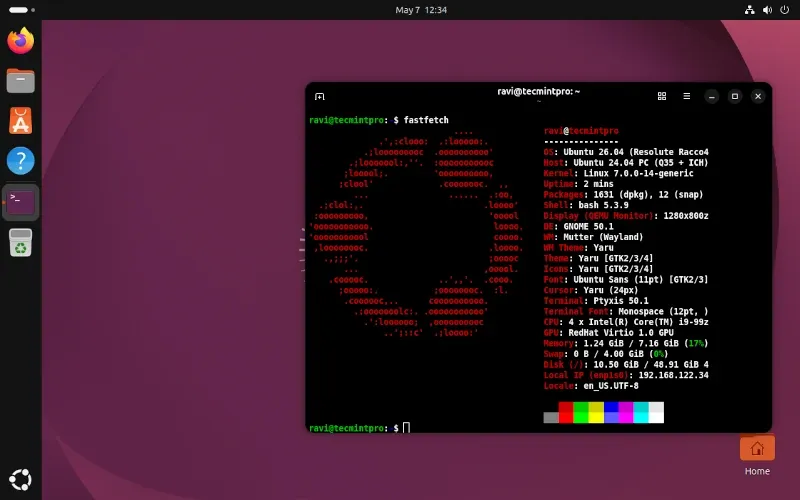
This is the only Ubuntu course that takes you from installing your very first desktop to running production servers, databases, VPNs, and containers, all while staying comfortable with the terminal you use every day.
Ubuntu is the most widely deployed Linux distribution on the planet, which means that whether you end up working as a sysadmin, a DevOps engineer, a backend developer, or just running your own home lab, you are going to run into it, so getting comfortable with it now pays off for years.
This handbook covers Ubuntu 26.04 LTS (Resolute Raccoon), which ships with the Linux 7.0 kernel, GNOME 50 on a Wayland-only desktop, native AMD ROCm packages for AI workloads, and 5 years of standard support running through 2031.
The course starts with the fundamentals and gradually progresses to advanced system administration, so you don't need any previous experience with Ubuntu or Linux to get started.
By the end of the course, you'll understand Ubuntu as a complete operating system rather than just a collection of commands.
That understanding will give you the confidence to use Ubuntu for everyday work, self-hosting, software development, or professional system administration.
What You Will Be Able to Do After This Course
By the end of this course, you will be able to:
- Install, dual-boot, and configure Ubuntu confidently on any machine, and navigate the GNOME desktop like a power user.
- Manage files, users, permissions, and software using both GUI tools and the command line, so you're never stuck without a mouse.
- Harden any Ubuntu system against common threats using firewalls, SSH key authentication, and security practices that pass a basic audit.
- Build storage systems that survive hardware failure using LVM, RAID, and LUKS full-disk encryption.
- Deploy production-ready web servers, databases (MySQL/MariaDB, PostgreSQL), and email servers (Postfix/Dovecot) from scratch.
- Set up secure VPNs with WireGuard, master SSH tunneling, and turn any Ubuntu machine into a full-featured router with DHCP, DNS, and NAT.
- Run virtual machines and Docker containers side by side, choosing the right tool for testing, development, or production workloads.
- Automate backups, monitor system health, and troubleshoot problems using journalctl, systemd timers, and custom scripts.
- Write Bash scripts that handle real sysadmin tasks: automated backups, log rotation, user provisioning, and scheduled maintenance.
- Manage an Ubuntu Server in production, from remote access and SFTP to log analysis and long-term system reliability.
This Course Is Built For
This course is meant for anyone who wants to understand Ubuntu and use it confidently, whether on a personal laptop or a production server.
It's especially helpful for:
- Linux beginners switching from Windows or macOS for the first time.
- Home users who want to self-host websites, media servers, or personal cloud storage.
- IT support technicians managing Ubuntu desktops and laptops in the field.
- System administrators responsible for Ubuntu Server deployments.
- Developers who want a properly configured Ubuntu development environment.
- Students preparing for RHCSA, RHCE, LFCS, or LFCA certification exams.
- Home lab enthusiasts running Docker, virtual machines, or self-hosted services.
- Anyone who wants to understand Linux deeply, not just memorize commands.
What You Should Know Before Starting
You don't need any prior Linux experience to start this course. As long as you're comfortable using a computer (installing software, using a file manager, browsing the web), you can follow along from Chapter 1.
To get the most from the later, more advanced chapters (storage, networking, servers, and databases), basic terminal comfort will help, but that's exactly what the early chapters of this course build up to.
All you need is a spare computer, a USB drive, or a virtual machine to install Ubuntu on.
Once you finish this course, the SSH Complete Course is the natural next step for going deeper into secure remote access and enterprise infrastructure.
What the Course Covers
The course is organized into 12 modules and 23+ chapters, starting with the basics and gradually moving toward advanced system administration.
- Module 1: Getting Started with Ubuntu (Chapters 1-3)
- Module 2: Installation and Desktop Basics (Chapters 4-5)
- Module 3: Core Linux Skills (Chapters 6-8)
- Module 4: Networking and User Management (Chapters 9-10)
- Module 5: System Maintenance and Security (Chapters 11-12)
- Module 6: Customizing Your Ubuntu Experience (Chapter 13)
- Module 7: Development and Self-Hosting (Chapters 14-15)
- Module 8: Virtualization and Containers (Chapter 16)
- Module 9: Advanced System Administration (Chapters 17-18)
- Module 10: Advanced Networking and Databases (Chapters 19-20)
- Module 11: Server Administration (Chapters 21-22)
- Module 12: Automation and Scripting (Chapter 23)
New chapters are added regularly, covering topics like cloud deployment, advanced security hardening, and infrastructure automation.
What You Get With Membership
When you join Pro TecMint, you get:
- Access to all Ubuntu Handbook chapters covering real-world, hands-on Ubuntu administration, from first install to production servers.
- Lifetime access, including all future chapters and updates as Ubuntu evolves.
- Access to every other Pro TecMint course, including the SSH Complete Course, RHCSA, RHCE, and LFCS certification preparation.
- Access to the Telegram community, where you can ask questions and discuss topics with other learners.
- A certificate of completion after finishing the course.