Chapter 12: Write, Review, and Fix Bash Scripts
In this chapter, you'll learn how to write a real backup script with Claude Code, review it for edge case bugs, refactor it safely, and deploy it with a systemd timer.
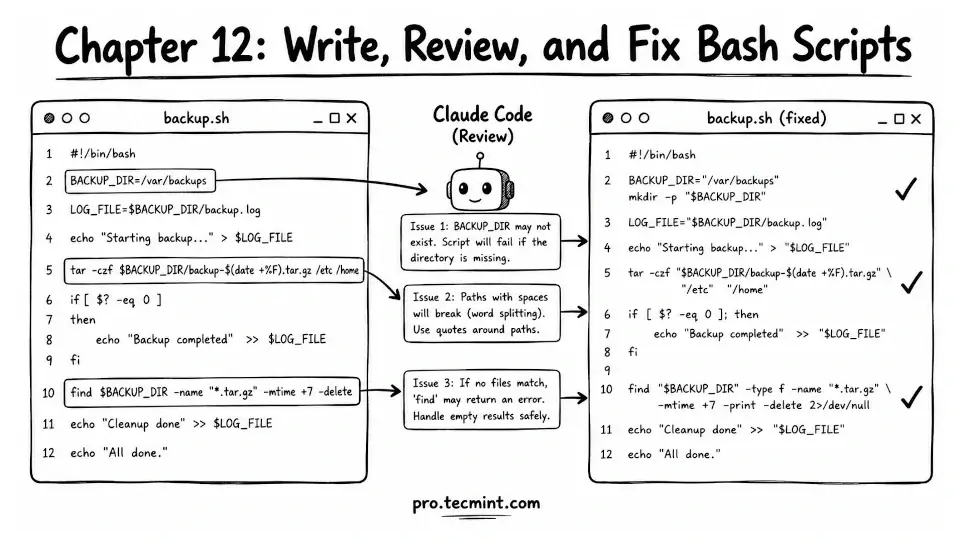
In the previous chapter, you reviewed user accounts, sudo privileges, and SSH keys, and created a structured audit report. That completes the account-focused part of Module 3.
Now we move into something every Linux sysadmin does regularly: writing Bash scripts.
In real life, most Bash scripts are written in a hurry. You need a quick solution, so you write something that works and move on. These “quick scripts” often become fragile. They may not handle errors properly, may not validate input values, and when something goes wrong, it is not always obvious why.
This is where things usually break in production environments. Scripts that work in testing can fail silently when they hit real-world data or unexpected conditions.
Claude Code helps here because it understands not just what the script is supposed to do, but also how to make it safer and more reliable.
It can suggest improvements like error handling, input validation, and safer defaults, especially in situations where you might skip them under time pressure.
By the end of this chapter, you will build a real backup script from scratch with Claude. You will also improve an existing script by adding proper error handling. You will learn how to use ShellCheck to find issues that are easy to miss manually.
Everything you learn here directly applies to how you write and maintain Bash scripts in your day-to-day Linux work.