How to Migrate from cgroup v1 to cgroup v2 on Ubuntu 26.04
In this article, we’ll check for cgroup v1 and migrate systemd services, Docker, and Kubernetes to cgroup v2 so the Ubuntu 26.04 upgrade is not blocked.

If an Ubuntu upgrade stops because the system is still using cgroup v1, it can quickly turn a planned maintenance window into a problem.
In this guide, we will check whether the system is using cgroup v1, move systemd services, Docker, and Kubernetes workloads to cgroup v2, and test everything before starting the upgrade.
Imagine running do-release-upgrade on an Ubuntu 24.04 server during a maintenance window, only to find that the upgrader refuses to continue.
Another possibility is that the upgrade completes, the server reboots, and some of your containers no longer start. In both cases, the underlying issue may be the same: Ubuntu 26.04 no longer supports cgroup v1.
Control groups (cgroups) are a Linux kernel feature used to control and measure how much CPU, memory, and disk I/O a group of processes can use.
Tools such as systemd, Docker, and Kubernetes depend on cgroups, so changing the cgroup layout can affect services, containers, and monitoring scripts at the same time.
Ubuntu 26.04 ships with systemd 259, which removed support for the older cgroup v1 layout, leaving cgroup v2 as the supported option.
What Changed Between cgroup v1 and cgroup v2
Before checking your own servers, it helps to understand what actually changed between cgroup v1 and cgroup v2.
cgroup v1 vs cgroup v2: Separate Trees vs a Unified Hierarchy
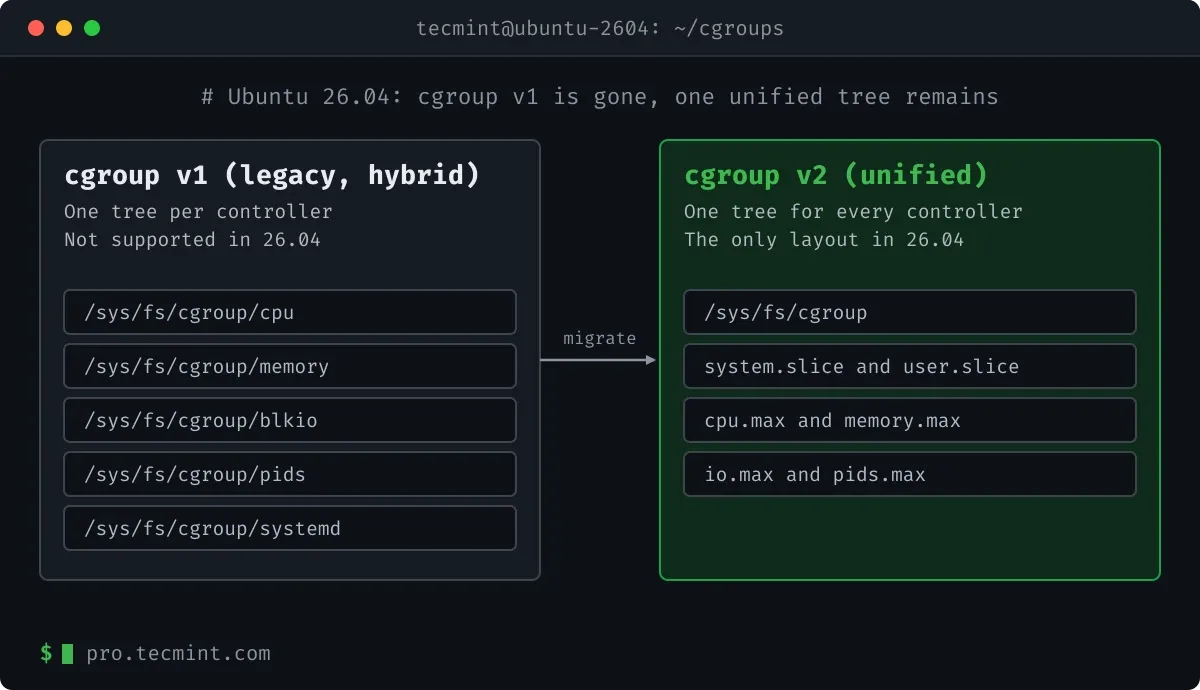
With cgroup v1, each controller, such as cpu, memory, blkio, and pids, used its own separate hierarchy under /sys/fs/cgroup/. systemd also maintained a separate tracking hierarchy under /sys/fs/cgroup/systemd/.
With cgroup v2, those separate hierarchies are replaced by a single unified tree, where each process belongs to one cgroup in that tree, and the resource control files are kept together in the same directory.
For example, CPU and memory limits are represented by files such as cpu.max and memory.max.