Icinga 2: Complete Monitoring Series
In this series, you'll learn how to install Icinga 2, set up IcingaDB and Icinga Web 2, monitor hosts and services, and deploy agents on remote Linux servers.
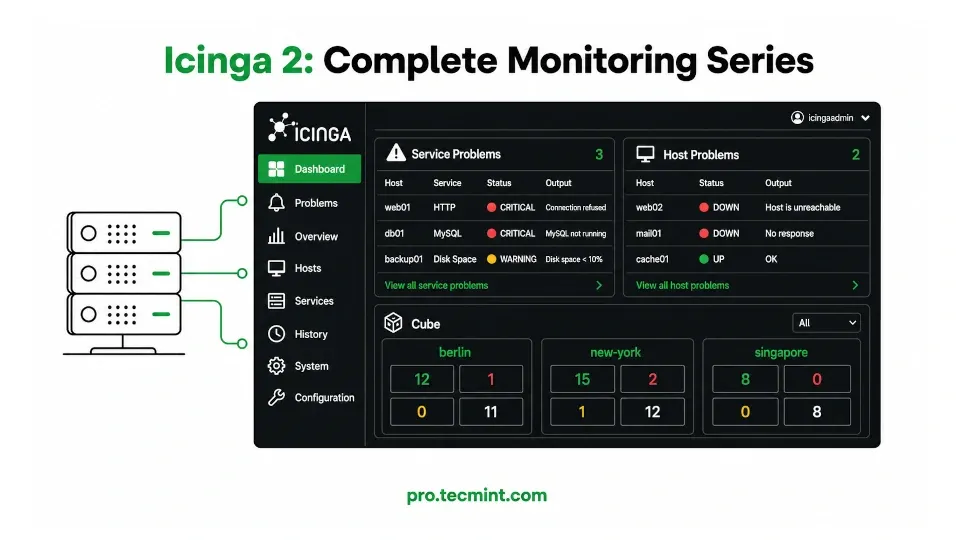
This series will teach you how to build a complete Icinga 2 monitoring setup from scratch on RHEL-based Linux distributions.
For this guide, we use Rocky Linux 10.2, but the same instructions and commands also work on RHEL 10 and AlmaLinux 10 without any changes.
By the end of Chapter 5, you'll have a fully working monitoring platform with:
- An Icinga 2 master server.
- A web-based monitoring dashboard.
- A database backend storing monitoring data and history.
- Email alerts for problems and outages.
- Remote Linux servers monitored through Icinga agents.
Most importantly, every chapter ends with something that actually works, so you won't be left halfway through a setup wondering what to do next.
Who This Series Is For
This series is designed for Linux administrators, DevOps engineers, and anyone responsible for managing Linux servers.
You should be comfortable using the Linux terminal and know basic commands such as:
- Installing packages with
dnf. - Managing services with
systemctl. - Editing configuration files.
If you're new to Linux, it's a good idea to complete the Learn Linux in 7 Days course before starting this series.
What You'll Build
By the end of the series, you'll have a production-ready Icinga 2 monitoring stack running on a RHEL-based Linux server, including:
- Icinga 2 monitoring engine with the REST API enabled.
- IcingaDB is connected to MariaDB for storing monitoring data.
- Icinga Web 2 dashboard is accessible from your browser.
- Host and service monitoring with email notifications.
- Icinga 2 agents are installed on remote Linux servers.
- Icinga Director for managing hosts and services through a web UI.
This is the same monitoring architecture used by many system administrators to manage dozens or even hundreds of servers from a single dashboard.
Series Chapters
These 5 chapters take you from a basic server setup to a complete multi-node monitoring environment with a live web dashboard:
- Chapter 1: Installing Icinga 2, IcingaDB, and MariaDB
- Chapter 2: Setting Up Icinga Web 2
- Chapter 3: Monitoring Hosts, Services, and Alerts
- Chapter 4: Deploying Icinga 2 Agents
- Chapter 5: Managing Icinga 2 with Icinga Director
You'll install Icinga 2 agents on remote Linux servers and connect them securely to the master node.
By the end, you'll be monitoring multiple servers from a single dashboard and will be ready to expand your monitoring environment further.
How to Get the Most Out of This Series
Follow the chapters in order, because each chapter builds on the previous one, and skipping ahead can lead to missing configuration steps that are difficult to troubleshoot later.
Don't just read the commands, run them on your own system and follow along, because building and testing the environment yourself is the best way to learn how Icinga works.
Before You Start
Before beginning, make sure you have:
- A fresh Rocky Linux 10, RHEL 10, or AlmaLinux 10 server.
- At least 2 GB RAM.
- At least 20 GB of disk space.
- A sudo-enabled user account.
If you need a cloud server to follow along, DigitalOcean offers reliable cloud VPS plans starting at $4/month with $200 free credits to spin up your first server and try it yourself.
Disclosure: This is an affiliate link, and we may earn a commission at no extra cost to you.
If you'd like a refresher on Linux service management before starting, check out the 100+ Essential Linux Commands course for practical examples using systemctl.