3. Zorin OS 18
In this chapter, you’ll learn how to install Zorin OS 18 Core, explore its beginner-friendly interface, use Zorin Appearance to personalize your desktop, and install essential apps to get started right away.
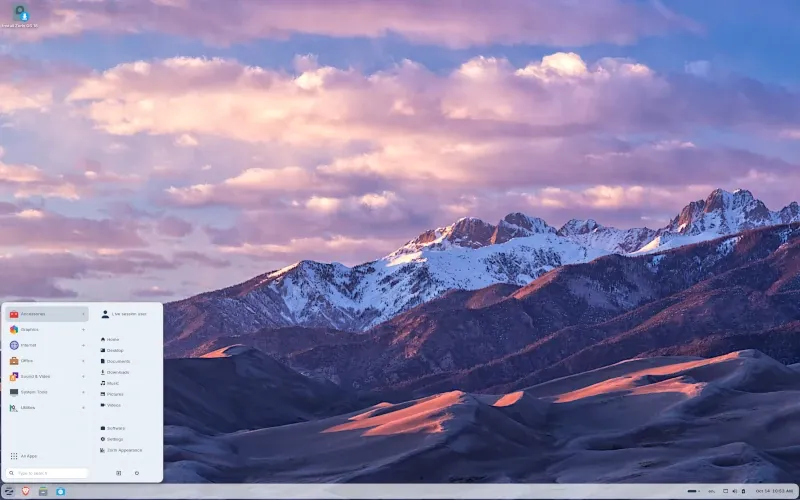
If you’ve been following this series, we’ve already explored Ubuntu and Linux Mint, two of the most popular Linux distributions for beginners.
Both of them are solid choices, but what if you want something that feels even more familiar if you’re coming from Windows? That’s where Zorin OS comes in.
Zorin OS is designed specifically to make the switch from Windows (or even macOS) as smooth as possible, as it offers a clean, easy-to-use interface, and it comes packed with tools that let you get started right away.
In this chapter, we’ll take a closer look at what makes Zorin OS special, how it compares to Ubuntu and Linux Mint, and why it’s considered one of the most beginner-friendly Linux distributions out there.
What is Zorin OS?
Zorin OS is a Linux distribution built on Ubuntu, designed from the ground up to make switching from Windows as painless as possible.
It takes the same stable and secure foundation as Ubuntu and adds its own polished interface, tools, and layout options to create a system that feels instantly familiar.
Zorin OS was first released in 2009 by brothers Artyom and Kyrill Zorin, a small team of developers based in Dublin, Ireland.
Their main goal was simple: create a Linux distribution that Windows users could feel comfortable with right away.
Over the years, Zorin OS has grown steadily. It started as a Windows-like Linux for beginners, but now also offers editions for older computers, students, and professionals who want extra features.
Despite these changes, the core mission has stayed the same - making Linux accessible and stress-free for newcomers.
Some of the reasons people love Zorin OS include:
- Familiar Interface - Designed to look and behave like Windows, so you won't feel lost when you switch.
- Zorin Appearance App - Lets you switch between Windows-like, macOS-like, or classic Linux layouts with just a few clicks.
- All-in-One Out of the Box - Comes with essential apps, multimedia support, and Windows app compatibility pre-configured.
- Free & Open Source - Zorin OS Core is completely free to download and use.
- Strong Community - Friendly forums and official documentation mean help is always close by.
For this guide, we'll be using Zorin OS 18 Core - the latest major release, launched on October 14, 2025, built on Ubuntu 24.04 LTS, and designed to be the perfect Windows replacement for everyday users.