Chapter 33: Secure Remote Access with SSH Tunnels
In this chapter, you'll learn how to access MySQL, PostgreSQL, and web services through SSH tunnels with real-world examples and production-ready configurations.
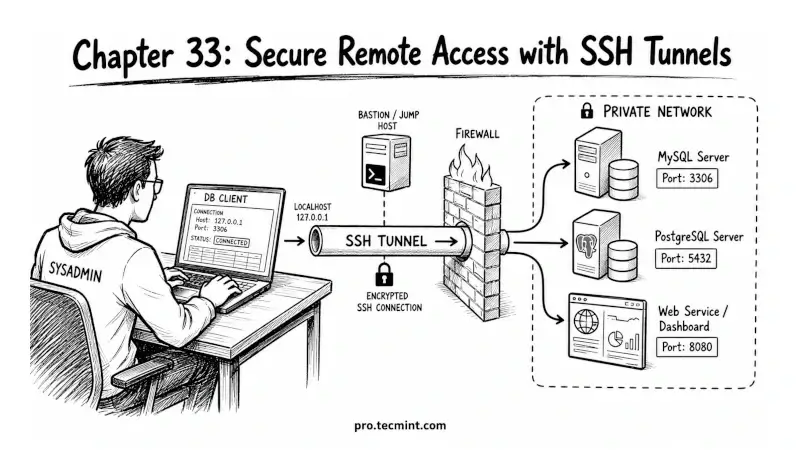
In the previous chapter, you learned how dynamic port forwarding can turn an SSH connection into a SOCKS proxy, allowing applications to send their traffic through a remote server. At this point, you have learned all three major SSH port forwarding techniques.
Now it's time to put them to work in real-world situations. In production environments, services are often kept on private networks and are not directly accessible from the internet.
For security reasons, databases, monitoring dashboards, internal web applications, and cache servers usually listen only on local or private IP addresses.
This is where SSH tunneling becomes incredibly useful.
Imagine these common scenarios:
- A database administrator needs to connect to a MySQL or PostgreSQL server running on a private subnet.
- An engineer needs access to an internal monitoring dashboard during an outage.
- You want to inspect a Redis cache on a production server without exposing its port to the public.
- A developer needs temporary access to an internal web application for troubleshooting.
Instead of opening firewall ports or making services publicly accessible, you can create secure SSH tunnels that provide access only when needed.
In this chapter, you'll learn practical tunneling techniques that system administrators and DevOps engineers use every day.
We'll walk through real examples and show the exact SSH commands needed to securely access databases, web applications, monitoring tools, and other internal services through SSH.