Chapter 37: SSH Connection Multiplexing (ControlMaster)
In this chapter, you'll learn how SSH ControlMaster works, how to configure connection multiplexing, and how to speed up repeated SSH connections to the same server.
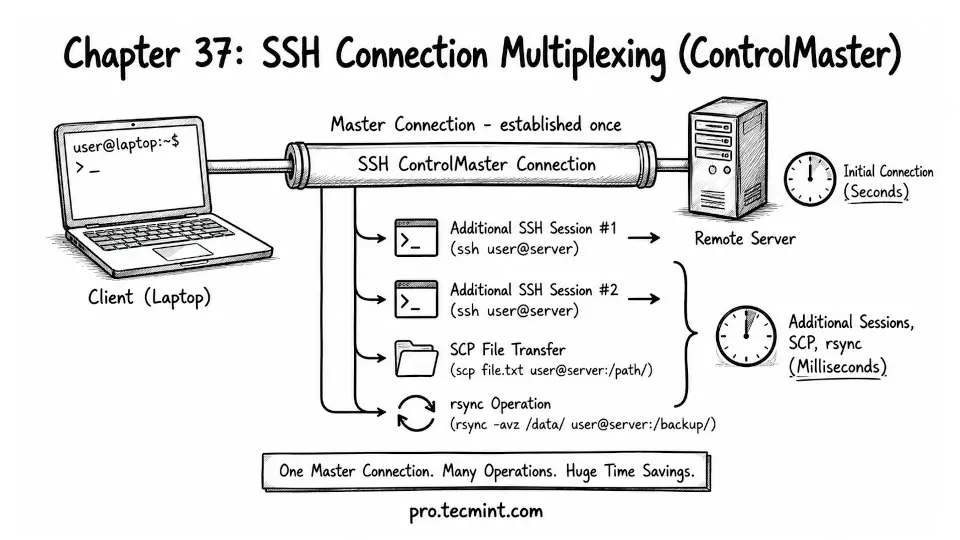
In the previous chapter, you learned how SSH agent forwarding works, the security risks it can introduce through agent hijacking, and how to configure your SSH client so forwarding is disabled by default and only enabled for servers you fully trust.
Now we are moving to a different topic: SSH performance.
Every time you connect to a server using SSH, it has to do a full setup process called the SSH handshake, which includes several steps like creating a TCP connection, negotiating versions, exchanging cryptographic keys, verifying the server, and authenticating your login.
On a fast local network, this usually feels instant, but over slower or high-latency connections, or when connecting through remote servers or bastions, this can take around 2 to 5 seconds each time.
That delay might not sound like much, but it adds up quickly if you are connecting and disconnecting many times during the day.
This is where SSH ControlMaster helps, which means it allows SSH to reuse an existing connection instead of creating a new one every time.
The first time you connect to a server, SSH goes through the full handshake and sets up a connection as usual.
After that, any new SSH session to the same server can reuse that already-open connection, which makes subsequent connections open almost instantly, often in just milliseconds.