LESSON 2: A Practical Guide to Working with REST APIs in Go
In this chapter, you will learn how to call REST APIs in Go using the net/http package, handle JSON responses, and deserialize data into Go structs.
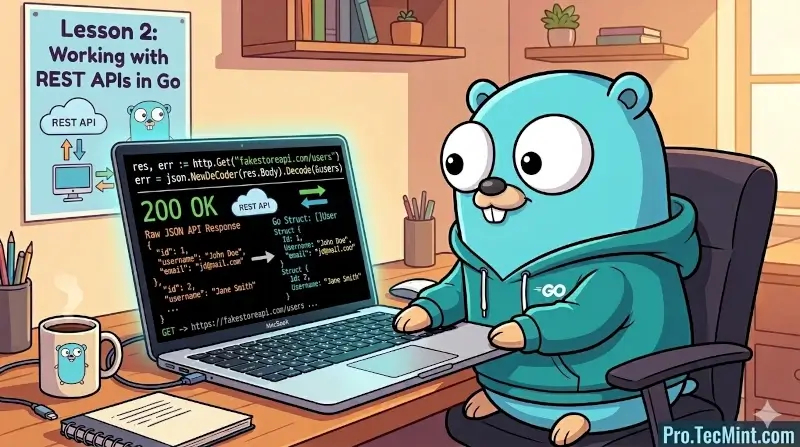
In this lesson, you'll build a Go program that calls a REST API, handles the response, and extracts specific data from JSON.
You'll learn the fundamentals of HTTP communication in Go, which forms the foundation for many DevOps automation tasks.
What You'll Learn
- Making HTTP GET requests using Go's
net/httppackage. - Handling HTTP responses, status codes, and errors.
- Working with JSON data in Go.
- Deserializing JSON into Go structs.
- Proper resource management with
defer.
Understanding REST APIs
One of the most important areas that you will use in your day-to-day job as a Go developer is dealing with REST APIs, as they have become the standard way to talk to other services and programs to get data and other needed information.
In case you are new to this concept, a REST API means (Representational State Transfer Application Programming Interface). It is a way of communication between systems using HTTP.
To make it simple, it is a way that allows us to get, modify, or delete data from another system.
For example, if you have a backend system written in Python, you can access it using a REST API from any other tool or software, and that tool does not need to be written in the same language, which shows the power of communication using APIs.
In this guide, we will learn how to use a REST API with Go, how to request and retrieve data from any API you choose, and how these concepts apply to all REST APIs.
Example of an API
To test how we can deal with an API and how to manipulate JSON in Golang, we need an API that gives us some data to work with.
There are a lot of APIs available for testing and learning, and one of them is FakeStoreAPI, which gives us example products and tries to simulate a real-world e-commerce backend with users, products, carts, and authentication just like a real API.
The way of working with a REST API is the same here, and the only difference is the data you receive, while the calling and handling process stays the same for any API.
In this project, we will use this API, and in the next tutorial, where we build a command-line tool, we will use another API, such as the GitHub API, which contains real data.
Note here that FakeStoreAPI is public, which means you can call it without authentication, and it is openly available, and you can test this by calling it using the command line tool curl like this: