Project 3: Build a Command-Line Task Manager in Go
Learn how to build a persistent CLI to-do manager in Go that reads, writes, and manages tasks stored in a JSON file using structs, file I/O, and switch statements.
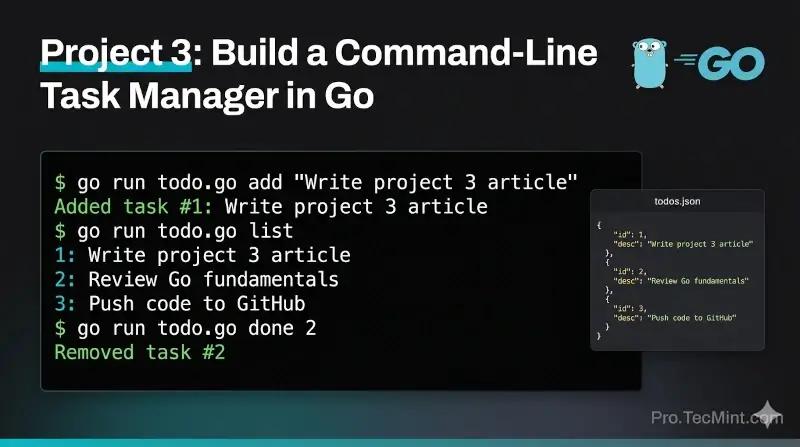
Go is a language where you can immediately apply what you learn to real tools that genuinely solve problems.
A task manager is one of those tools that almost everyone needs, and building it yourself as a command-line application means you never have to leave the terminal to track what you are doing.
Instead of switching between browser tabs or desktop apps, a single command gives you your entire to-do list. Another command adds a task. Another marks it done. That is it.
In this project, we will build exactly that kind of tool in Go, and by the end, you will have a working command-line task manager that stores all your tasks in a local JSON file - one that persists between runs.
What We Will Build
Our tool will support three operations:
- list - show all current tasks.
- add - add a new task with a description.
- done - remove a task by its ID once it is completed.
All tasks will be saved to a local JSON file, so they survive after you close the terminal, and each task gets a unique ID so you can target the right one when marking it done.
This project ties together everything you have learned so far: structs, slices, JSON encoding/decoding (from Lesson 2), file reading and writing, and command-line argument handling.
Create the Project
Just like in Project 2, start by creating a new folder for this project and initializing a Go module:
mkdir todo-cli
cd todo-cli
go mod init todo-cli
go get github.com/fatih/color
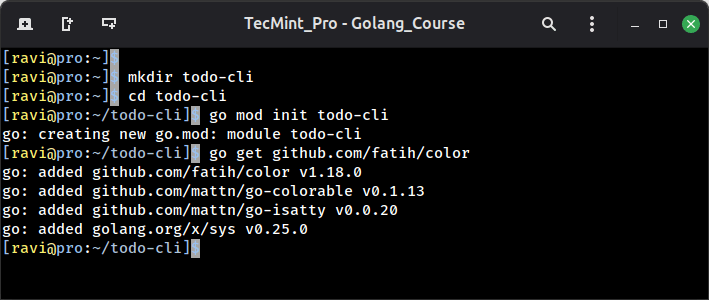
We are importing the same fatih/color package from Lesson 3, so the output looks clean and readable in the terminal.
Now create the main file:
touch todo.go
Open it and add the starter code:
package main

func main() {

}